№ II · ARI · ROAM · MMXXVI · iPhone
№ II · The Night Companion · iOS 18.4+ v1.3 · live on the App Store

The browser
as a canvas
you author.

An iOS browser with an integrated AI companion. Spaces instead of tab piles. Marginalia on the web. An Easel for the things you keep. A look that's yours, rendered into every corner of the app.

Local-first BYOK providers iOS 18.4+ No tracking
Download on theApp Store
iPhone · Free · Theme IAPs
research.notes
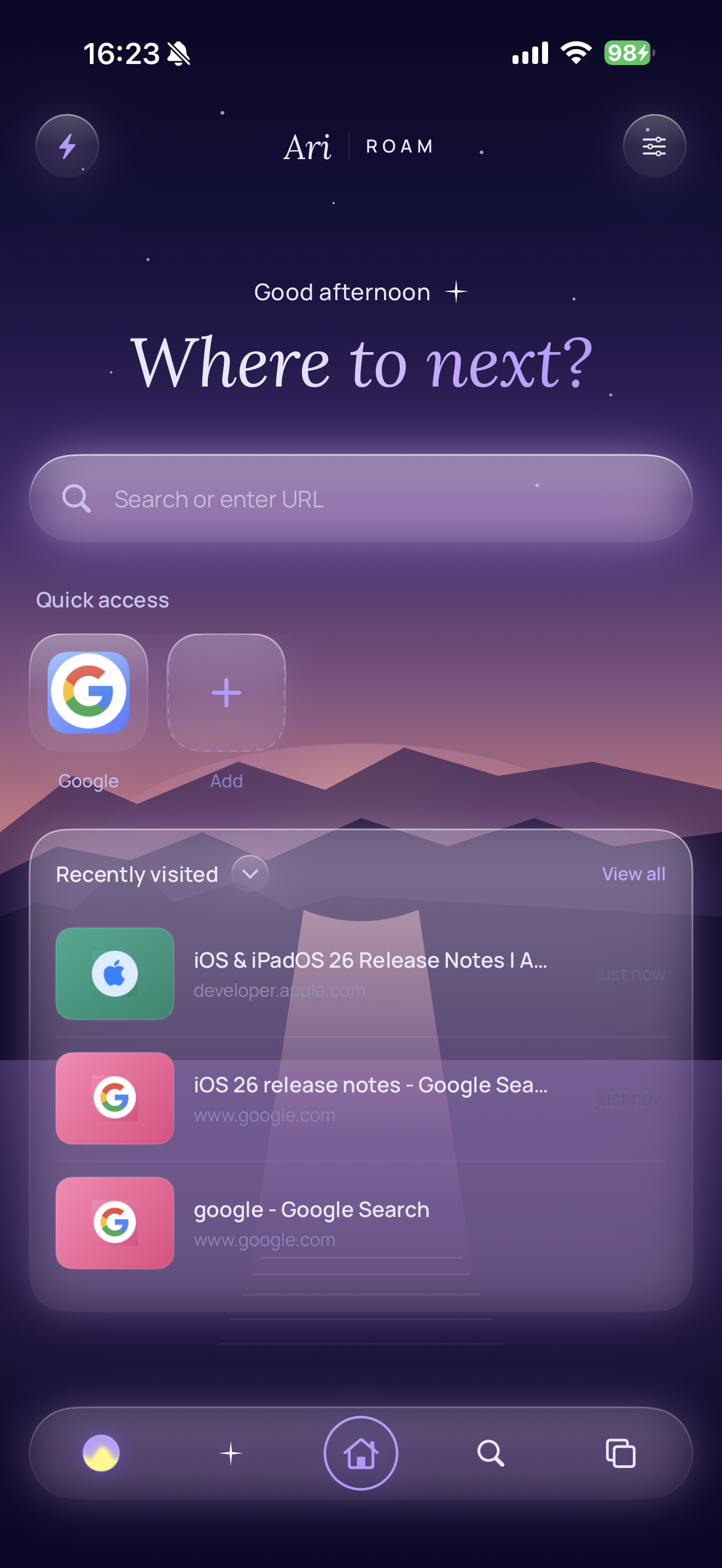
AriRoam home
iSpaces iiMarginalia iiiBriefings & reports ivSkills vAgent mode viThe Drawer viiTheming viiiProviders ixAt a glance
№ i· Spaces — Doc & Easel

Browsing
and thinking,
the same motion.

Every Space has its own tabs, its own briefing, its own canvas, and its own look. Two surfaces sit under a single toggle — Doc, a linear block document with reports, excerpts and wikilinks; Easel, a free-form spatial canvas. Click the toggle. Try the cards.

Research22 tabs · 14 marks · 3 reports
№ Brief · Tuesday morning · 22 tabs open
Anchoring marginalia
across reloads.
A drift through anchoring strategies for persistent highlights on the live web. [[Marginalia]] · [[Easel]] · [[Range API]]
What the corpus says
Most modern highlighters anchor on raw character offsets or DOM positions. Both rot the moment the publisher re-renders the page. The quieter approach is to anchor on the [[quote text itself]] with a window of surrounding context — slower to resolve, but it survives.
annotator.dev · 2024 · "Robust web annotations"↗ open tab
"Position offsets are fragile. Text quotation with prefix/suffix context degrades gracefully — when the surrounding paragraph is missing, you fall back to fuzzy match, then to a soft fail."
Report · synthesised from 6 marks + 3 tabsv 02

Three families of anchor.

The most resilient highlighter combines a quote1, a small prefix / suffix context2, and a fallback fuzzy match3 against the live DOM. Pure offset-based anchors fail on the first re-render4; pure quote-based anchors fail on duplicate phrases.

A useful default is to store all three at clip-time, then resolve them in order at render-time — and emit a "soft fail" mark to the Marginalia index if none of the three survive.
↗ annotator.dev ↗ apache.annotator ↗ recogito · paper
Drag the cards · the canvas remembers where you put them
excerpt · pink mark
"Position offsets are fragile. Text quotation degrades gracefully."
text card
→ store all three at clip-time. resolve in priority order.
screenshot · range API diagram
text card
Edge case: duplicate phrases break pure-quote anchors.
Need surrounding context.
sketch note
"Soft-fail" marks — show in the index, dimmed.
№ ii· Marginalia — the web in the margin

Highlights
that survive.

Select text on any page. Highlight. The mark persists across reloads by anchoring on the quote text and its surrounding context — not on fragile offsets. Tap a mark to recolour it, annotate it, or send it straight into the Space. Try it below — drag a selection across the article on the left.

research.notes / anchoring-marginalia

Anchoring marginalia across reloads.

Most modern highlighters anchor on raw character offsets or DOM positions. Both rot the moment the publisher re-renders the page; both produce ghost-marks that hover over the wrong word, or fall off the page entirely.

The quieter approach is to anchor on the quote text itself with a window of surrounding context — slower to resolve, but it survives.

A useful default is to store all three at clip-time, then resolve them in order at render-time. Offset first, for speed. Then quote-plus-context, when offset misses. Then fuzzy match against the live DOM, when both have rotted past recognition.

If none of the three survive, the mark soft-fails — it stays in the Marginalia index, dimmed; never silently deleted.

Try it: select any sentence above, and a bubble will appear with the four colours.
Marginalia · this Space3 marks
"raw character offsets"Tue · 09:14↑ anchor strong
"the quote text itself with a window of surrounding context"+ Prefix + suffix window of ~64 chars each side, per Hypothes.is.Tue · 09:18¶ has note
"store all three at clip-time, then resolve them in order at render-time"Tue · 09:24↑ anchor strong
№ 01 · Survival

Across reloads.

Re-anchored on text quote + surrounding context, not fragile offsets. A page redesign doesn't lose your marks.

№ 02 · Annotations

A note in the margin.

Tap a mark, write a note — it lives with the highlight and surfaces in the Marginalia index, separate from the quote.

№ 03 · Briefing signal

A vote for what matters.

Highlights and notes feed the Space briefing as a strong relevance signal. What you mark is what Ari surfaces.

№ iii· Briefings & reports

A view from
above the desk.

The Briefing sits at the top of every Space — an auto-summary of what's gathered, what's open, and what Ari thinks you might want to close. Reports are first-class blocks: AI synthesis with citations back into the source. Token cost is transparent. Nothing closes automatically.

Briefing · auto-refreshed Tue 09:42~1.2k tokens

Anchoring is the
through-line this week.

You've spent three sessions on highlighter persistence — first reading annotator.dev, then the W3C Selectors spec, then the Hypothes.is engineering posts. The Marginalia you've kept (three marks, one annotation) cluster on the "quote + surrounding context" approach. Your open tabs continue that thread.

What's open
  • Active threads — Range API edge cases · 4 tabs in the cluster
  • Two reference tabs on fuzzy matching · idle 6h
  • One outlier — a piece on second-brain abandonment · idle 2 days
Suggested cleanup
Shelve the outlier on second-brain abandonment — unrelated to the current thread.
Cluster the four Range API tabs into a sub-group?
Report · synthesised by Ariv 02 · 14:20

Three families of anchor.

The most resilient highlighter combines a quote string1, a small prefix / suffix context2, and a fallback fuzzy match3 against the live DOM. Pure offset-based anchors fail on the first re-render4; pure quote-based anchors fail on duplicate phrases.

A useful default is to store all three at clip-time, then resolve them in priority order at render-time — and emit a soft-fail mark to the Marginalia index if none of the three survive5.

1annotator.dev / robust web annotations
2W3C · selectors-and-states spec
3Hypothes.is · "Fuzzy text anchoring"
4Marginalia mark m1 · "raw character offsets"
5Marginalia mark m2 · "the quote text itself…"
№ iv· Skills — replayable, host-aware

Bend the
page to your shape.

Skills are replayable automations the user (or Ari) can write. Three modes — a prompt (an LLM action against the page), a script (JS that runs against the DOM, no model call), and always-on (matches a host pattern, runs silently every time you land there). Pin them to the quick-action tray; share them; let Ari author them.

№ 01 · promptLLM

Five-bullet summary.

Read the open tab. Produce a five-bullet executive summary, then a 2-sentence "so what" verdict.

// prompt template role: "You read web pages. Five bullets, then a 'so what'." input: "{{page.markdown}}" model: claude-sonnet-4
any host⌁ pinned
№ 02 · scriptJS

Strip sponsored
results.

Run a JS query against the page. Find sponsored-tagged elements. Remove. No model call.

// run on click document.querySelectorAll( '[data-sponsored="1"]' ).forEach(el => el.remove());
google.com
№ 03 · always-onsilent

Hide YouTube
Shorts.

Matches youtube.com. Runs the moment the page is opened in this Space. No LLM call. Just shape.

// always-on · host: youtube.com @hide ytd-rich-shelf-renderer[is-shorts] @hide ytd-reel-shelf-renderer @restyle body { font-feature-settings: "ss01"; }
youtube.com● live
Try it — always-on demo

Hit the button. The "Hide YouTube Shorts" skill runs against the page on the right. Shorts vanish, real videos stay. No model is called.

youtube.com · home
VID
A long, slow piece on second-brain abandonment
21:42
SHORT
5 hacks to remember everything you read — DON'T MISS
0:58
VID
Anchoring web annotations · a 14-minute walkthrough
14:08
SHORT
POV: you finally read the W3C selectors spec 😱
0:42
VID
Hypothes.is engineering chat — fuzzy anchoring in production
38:21
SHORT
Speed-running your reading list (impossible challenge)
0:32
VID
A tour of the Range API in modern browsers
11:54
№ v· Agent mode — Ari, with the keys

Hand Ari
the wheel.

Agent mode lets Ari act on the page on your behalf. A purple overlay shows what's happening. Ari can read tabs, click and type into elements, navigate, search history, screenshot to a Space, theme the Space, even author a new Skill. You watch, you can pause, and nothing happens twice without your say-so.

Active task From the three Range-API tabs I've been reading, extract the common edge cases, then save them to this Space as a numbered list.
list_open_tabs space: "Research" filter: "range API" queued
read_tab url: "w3c.org/.../range" queued
read_tab url: "developer.mozilla / range" queued
read_tab url: "annotator.dev / robust" queued
add_text_to_space space: "Research" block: "Range API · 5 edge cases" (numbered list) queued
screenshot_to_space tab: w3c/range selector: "fig.2-collapsed-ranges" queued
Reading the page
  • read_current_page
  • read_tab · list_open_tabs
  • search_history · search_bookmarks
  • list_page_interactables
  • view_page_visually
Acting on the page
  • navigate_to_url · open_new_tab
  • click_element · type_into_element
  • scroll_page
  • click_at · type_at
Skills & theming
  • create_skill · update_skill
  • list_skills · toggle_skill · remove_skill
  • set_space_theme
Spaces
  • list_spaces · read_space
  • add_text_to_space
  • save_excerpt_to_space
  • save_link_to_space
  • screenshot_to_space
Approvals
  • Every page-action is approval-gated.
  • Pause / resume at any time.
  • Full transcript replay on the task page.
Provider
  • Runs on whichever model you've selected.
  • Tool-call support classified per provider.
  • Graceful degradation when tools unavailable.
№ vi· The Drawer & Tidy

For the tabs you
didn't quite close.

Tabs you haven't touched in a while quietly age into the Space's Drawer — one tap to bring them back. Set the threshold to a day, three, a week, or never. Tidy is a single Ari pass that rewrites cryptic titles and clusters a messy Space into named groups. Press it on a chaotic afternoon.

Active tabs · this Space
W3C — Range and CharacterData interfaces6h idle
MDN — using the Range API in practice3h
annotator.dev — robust web annotations1d
Hypothes.is — fuzzy text anchoring14h
apache · annotator selectors spec2h
untitled — apologies-of-second-brain.html2d outlier
a long page about pomodoro variants from 20145d outlier
№ 01 · Shelve threshold

Quietly, eventually.

The Drawer pulls in tabs that sit idle past your threshold. The active tab, pinned hosts and incognito are excluded. One tap to restore.

Press a threshold — tabs older than it animate into the Drawer.

№ 02 · Tidy

A single pass
of order.

Ari rewrites cryptic titles, clusters the open tabs into named groups, and renders the result inline. Nothing closes. Nothing changes URL. Just shape.

№ vii · Themes & scenes

Aurora.
The signature.

A twilight that breathes — three slow bands of light over a deep violet. Free, the default, and the one the rest of the app is tuned to. Click the chips below to switch.

Tier
Free
Animation
Three slow bands
Accent
Lavender · cyan
Type
Lora · Manrope
A theme is a whole app.

Switching Spaces
morphs the chrome.

Each Space's theme paints the whole app — the dock, the home, the new-tab scene, the accent. Liquid-glass surfaces, not solid fills. A theme isn't a colour swatch; it's a world.

№ 01 · Per-space accent
A colour, a reading typeface, an optional always-on page restyle.
№ 02 · Chrome themes
A full named look — backdrop gradient, atmospheric blooms, accent pair, scene.
№ 03 · IAP themes
Sakura, Obsidian, Sunset — non-consumable, restorable, live preview behind the paywall.
№ 04 · Pause on background
Petals, twinkles, breathing suns — all pause when you put the phone down.
— the thesis, stated plainly
Most browsers treat
the page as the destination.
AriRoam treats it
as raw material.
From the product thesis
№ viii· Provider-agnostic

Your model,
your key,
your call.

Models live behind a streaming LLMEngine protocol; providers are pluggable. Keys live in the iOS Keychain — no traffic flows through arilabs. Pick OpenAI, Anthropic, OpenRouter, ChatGPT, local Ollama, or on-device Apple Intelligence. Each Space can use its own.

№ 01 · OpenAI-compatible
OpenAI & friends
Any endpoint that speaks the OpenAI API — OpenAI itself, Together, Groq, Mistral, OpenRouter, your self-hosted bridge.
API keyStreamingTools
№ 02 · Anthropic
Claude
Sonnet, Opus, Haiku. Native engine, streaming, tool calls. Agent mode runs cleanly here.
API keyStreamingTools
№ 03 · OpenRouter
OpenRouter
OAuth key issuance flow — sign in, the key is issued, registered as a standard OpenAI-compatible provider in one motion.
OAuthAny catalogue model
№ 04 · ChatGPT · Codex
OAuth sign-in
Sign in with your ChatGPT account — no key to copy, no token to manage. Sessions refresh quietly in the background.
OAuthAuto-refresh
№ 05 · Ollama
Ollama, local or cloud
Local Ollama is keyless — point at your machine on the LAN. Ollama Cloud uses an optional API key.
Local · keylessCloud · key
№ 06 · Apple Intelligence
Apple Intelligence
Native on-device model where available. Keyless. Falls back to a configured BYOK provider when the device doesn't support it.
On-deviceKeyless
№ ix· At a glance

The version,
the moving parts.

Accurate to v1.3. First shipped on the App Store on the 21st of May, 2026. iPhone only. iOS 18.4 minimum.

Platform
iPhone
iPhone-first browser. iOS 18.4 minimum. Built around one-thumb reach.
Live since
May 2026
Shipped on the App Store on the 21st of May, 2026. Now on v1.3.
Content blocking
Ads · trackers · consent
Compiled rule list. A per-page tally surfaces in the chrome. HTTPS-only mode is one tap away.
Storage
Local-first
Everything lives on your device. No arilabs server in the loop, ever.
Spaces
Doc · Easel
Per-Space tabs, briefing, easel, theme. Wikilinks across Spaces with a linked-from section.
Skills
prompt · script · always-on
Host-pattern matching, pinning to quick actions, Ari-authored or hand-rolled.
Themes
5 chrome looks
Aurora · Midnight · Ember · Forest free · Sakura, Obsidian, Sunset are IAPs.
Privacy
No account required
BYOK keys in your Keychain. Optional Face ID lock. Incognito tabs use an ephemeral data store.
A canvas you author · iPhone

The web,
in your margins.

Free on the App Store. Bring your own model keys, or run on-device with Apple Intelligence. Three premium chrome themes available as one-off purchases.