Aurora.
The signature.
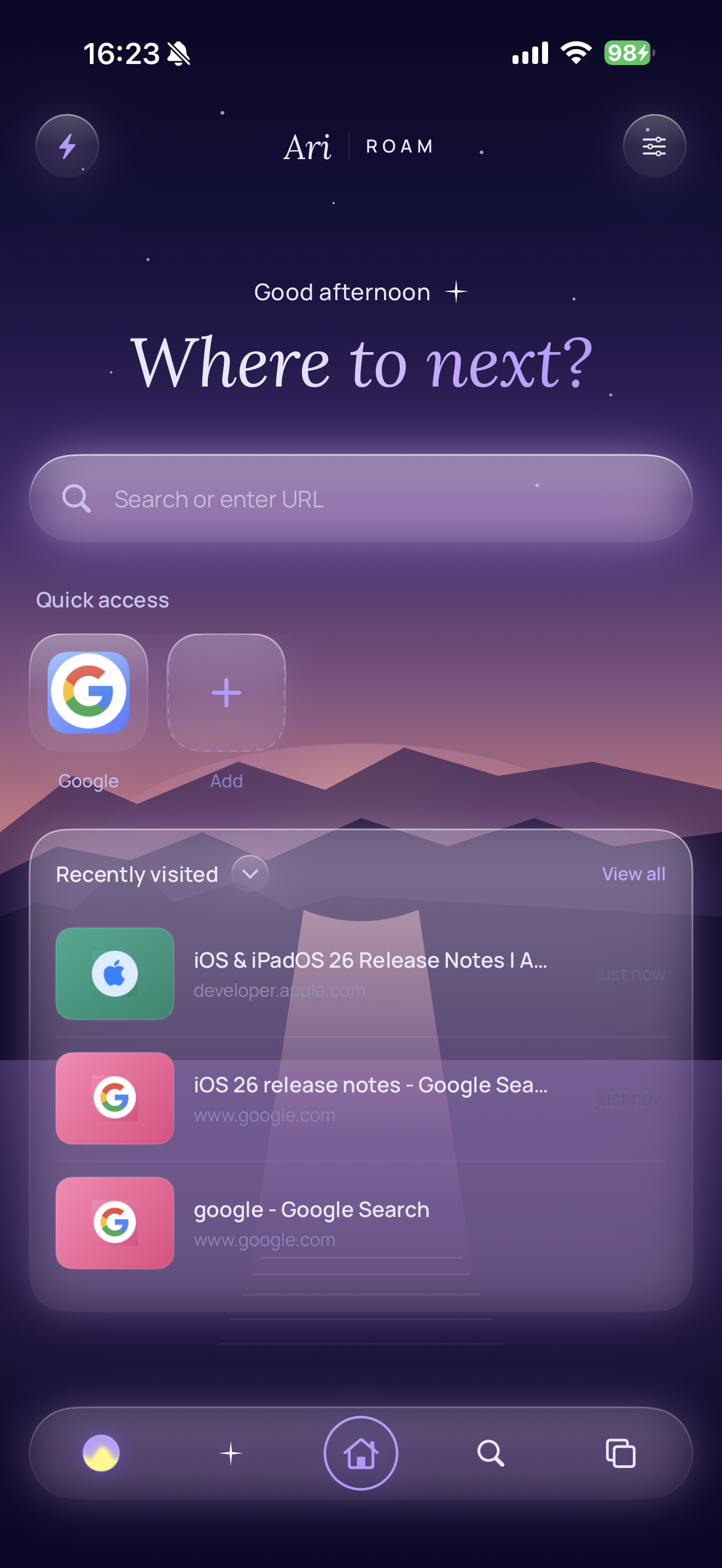
A twilight that breathes — three slow bands of light over a deep violet. Free, the default, and the one the rest of the app is tuned to. Click the chips below to switch.
An iOS browser with an integrated AI companion. Spaces instead of tab piles. Marginalia on the web. An Easel for the things you keep. A look that's yours, rendered into every corner of the app.

Every Space has its own tabs, its own briefing, its own canvas, and its own look. Two surfaces sit under a single toggle — Doc, a linear block document with reports, excerpts and wikilinks; Easel, a free-form spatial canvas. Click the toggle. Try the cards.
The most resilient highlighter combines a quote1, a small prefix / suffix context2, and a fallback fuzzy match3 against the live DOM. Pure offset-based anchors fail on the first re-render4; pure quote-based anchors fail on duplicate phrases.
Select text on any page. Highlight. The mark persists across reloads by anchoring on the quote text and its surrounding context — not on fragile offsets. Tap a mark to recolour it, annotate it, or send it straight into the Space. Try it below — drag a selection across the article on the left.
Most modern highlighters anchor on raw character offsets or DOM positions. Both rot the moment the publisher re-renders the page; both produce ghost-marks that hover over the wrong word, or fall off the page entirely.
The quieter approach is to anchor on the quote text itself with a window of surrounding context — slower to resolve, but it survives.
A useful default is to store all three at clip-time, then resolve them in order at render-time. Offset first, for speed. Then quote-plus-context, when offset misses. Then fuzzy match against the live DOM, when both have rotted past recognition.
If none of the three survive, the mark soft-fails — it stays in the Marginalia index, dimmed; never silently deleted.
Try it: select any sentence above, and a bubble will appear with the four colours.
Re-anchored on text quote + surrounding context, not fragile offsets. A page redesign doesn't lose your marks.
Tap a mark, write a note — it lives with the highlight and surfaces in the Marginalia index, separate from the quote.
Highlights and notes feed the Space briefing as a strong relevance signal. What you mark is what Ari surfaces.
The Briefing sits at the top of every Space — an auto-summary of what's gathered, what's open, and what Ari thinks you might want to close. Reports are first-class blocks: AI synthesis with citations back into the source. Token cost is transparent. Nothing closes automatically.
You've spent three sessions on highlighter persistence — first reading annotator.dev, then the W3C Selectors spec, then the Hypothes.is engineering posts. The Marginalia you've kept (three marks, one annotation) cluster on the "quote + surrounding context" approach. Your open tabs continue that thread.
The most resilient highlighter combines a quote string1, a small prefix / suffix context2, and a fallback fuzzy match3 against the live DOM. Pure offset-based anchors fail on the first re-render4; pure quote-based anchors fail on duplicate phrases.
A useful default is to store all three at clip-time, then resolve them in priority order at render-time — and emit a soft-fail mark to the Marginalia index if none of the three survive5.
Skills are replayable automations the user (or Ari) can write. Three modes — a prompt (an LLM action against the page), a script (JS that runs against the DOM, no model call), and always-on (matches a host pattern, runs silently every time you land there). Pin them to the quick-action tray; share them; let Ari author them.
Read the open tab. Produce a five-bullet executive summary, then a 2-sentence "so what" verdict.
Run a JS query against the page. Find sponsored-tagged elements. Remove. No model call.
Matches youtube.com. Runs the moment the page is opened in this Space. No LLM call. Just shape.
Hit the button. The "Hide YouTube Shorts" skill runs against the page on the right. Shorts vanish, real videos stay. No model is called.
Agent mode lets Ari act on the page on your behalf. A purple overlay shows what's happening. Ari can read tabs, click and type into elements, navigate, search history, screenshot to a Space, theme the Space, even author a new Skill. You watch, you can pause, and nothing happens twice without your say-so.
Tabs you haven't touched in a while quietly age into the Space's Drawer — one tap to bring them back. Set the threshold to a day, three, a week, or never. Tidy is a single Ari pass that rewrites cryptic titles and clusters a messy Space into named groups. Press it on a chaotic afternoon.
The Drawer pulls in tabs that sit idle past your threshold. The active tab, pinned hosts and incognito are excluded. One tap to restore.
Press a threshold — tabs older than it animate into the Drawer.
Ari rewrites cryptic titles, clusters the open tabs into named groups, and renders the result inline. Nothing closes. Nothing changes URL. Just shape.
A twilight that breathes — three slow bands of light over a deep violet. Free, the default, and the one the rest of the app is tuned to. Click the chips below to switch.
Each Space's theme paints the whole app — the dock, the home, the new-tab scene, the accent. Liquid-glass surfaces, not solid fills. A theme isn't a colour swatch; it's a world.
Most browsers treatFrom the product thesis
the page as the destination.
AriRoam treats it
as raw material.
Models live behind a streaming LLMEngine protocol; providers are pluggable. Keys live in the iOS Keychain — no traffic flows through arilabs. Pick OpenAI, Anthropic, OpenRouter, ChatGPT, local Ollama, or on-device Apple Intelligence. Each Space can use its own.
Accurate to v1.3. First shipped on the App Store on the 21st of May, 2026. iPhone only. iOS 18.4 minimum.
Free on the App Store. Bring your own model keys, or run on-device with Apple Intelligence. Three premium chrome themes available as one-off purchases.